DESIGNING A FOCUS APP FOR STUDENTS
Polar
ROLE
TIMELINE
TOOLS
TEAM
OVERVIEW
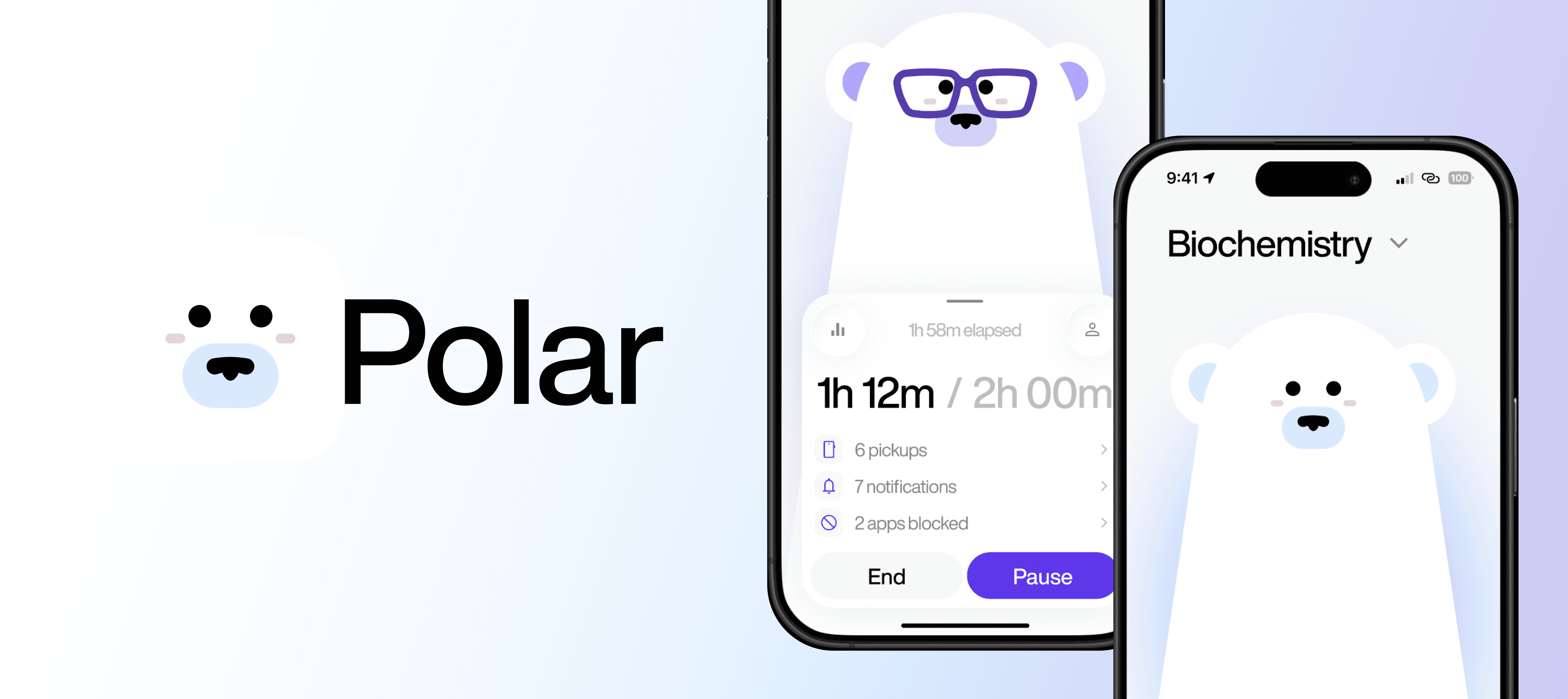
Polar is a productivity tool that helps university students better manage their time and stay focused.
This course project redefines the way university students address study and focus habits, breaking distraction patterns while addressing emotions like guilt, stress, and anxiety.
Tasked Challenge
Where might university students face difficulty with everyday processes, and how can we solve it?
RESEARCH
User Research
To understand the focus styles and study habits of University students, we conducted 12 user research interviews and gathered quotes to make an affinity diagram. Then, we pulled key insights that revealed patterns in behaviours of our users.
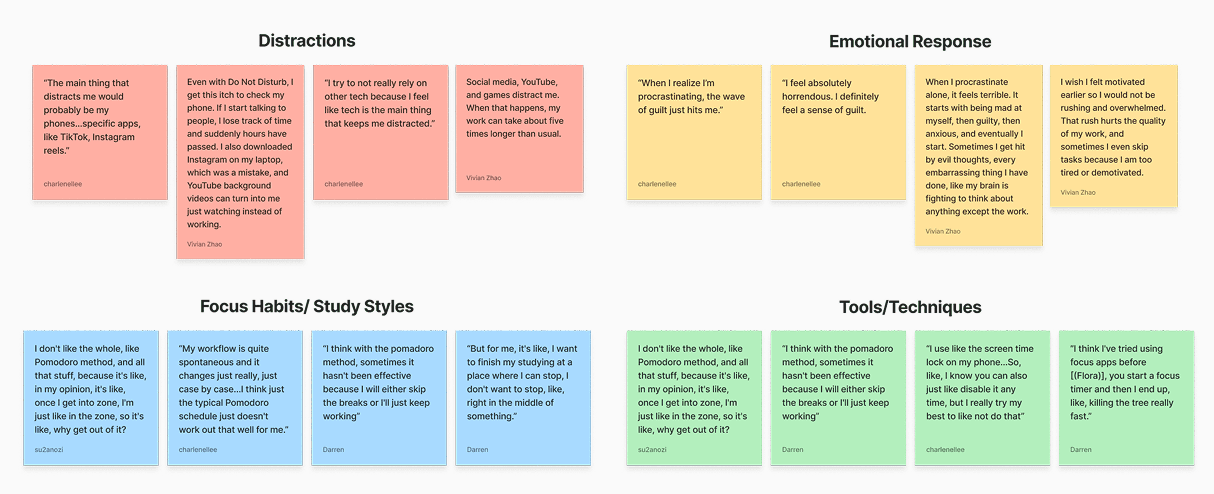
Affinity diagram
Key Insights
Digital distractions trigger negative emotional responses
Platforms like TikTok, Instagram, and Youtube are the most common interruptions. After spending large amounts of time on these apps, students feel emotions like guilt, anxiety, and stress.
Inconsistent and ineffective focus strategies
Though Pomodoro was a common practice among participants, they do not align with the individual’s work momentum. Most people have a spontaneous and task-dependant work style.
THE PROBLEM
Students commonly use tools like digital planners, focus apps, and structured techniques such as the Pomodoro method. However, these solutions often fall short because they assume users already have strong self-discipline.
Reworked problem statement
DESIGN DECISIONS
Ideation
By mapping out the user journey and identifying the core features that would guide them through their productivity, we visualized the user flow and created rough interface sketches that helped define the app’s structure.
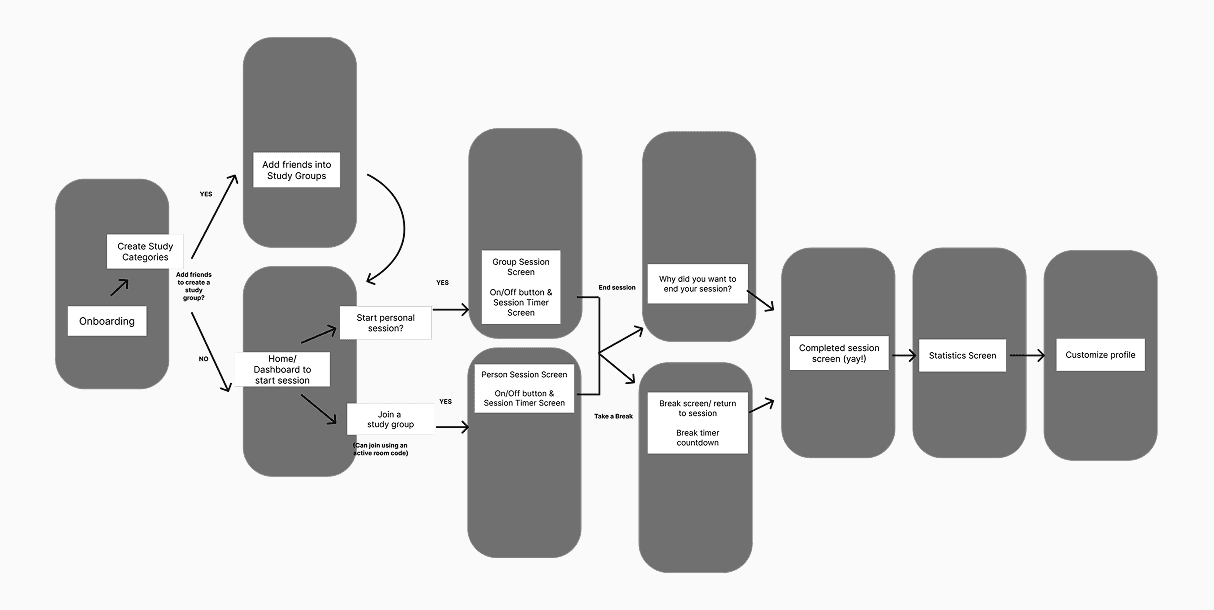
User flow diagram
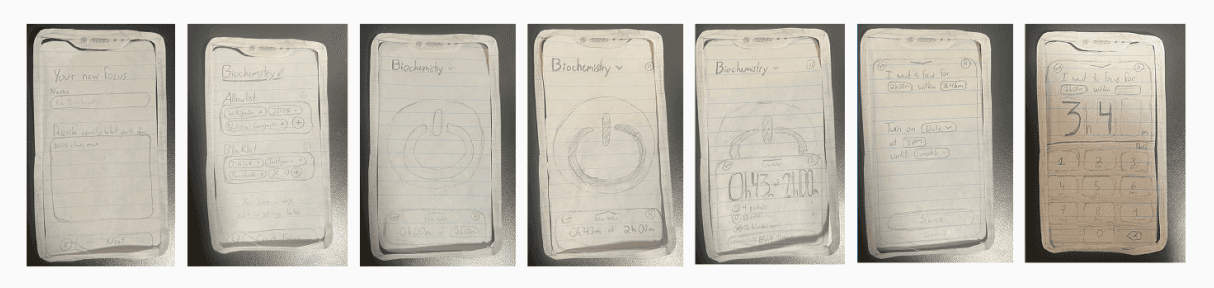
Screens drawn by Darren Millar
Lo/hi-fidelity Screens
Using our initial wireframes as a foundation, we created low-fidelity screens to further explore the app’s layout, navigation, and overall user experience. By applying a unified design system throughout the process, we were able to ensure consistency across all screens in visual design and interaction patterns.
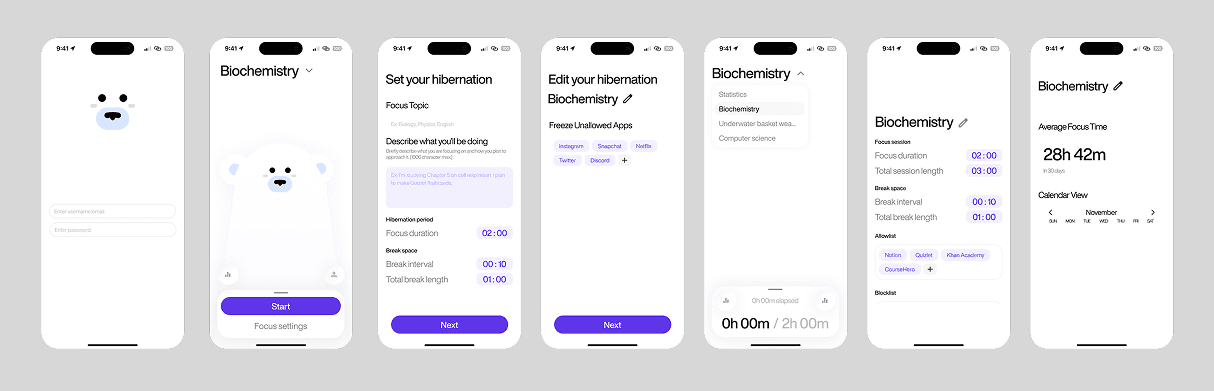
Lo-fi wireframes
Branding
We integrated our focus companion, Polo, into our design system to help users quickly recognize their behaviour and refocus on productivity. Polo adaptively changes its appearance and colours based on the user’s activity state, holding users accountable and immersing them into the process while anticipating their emotions.
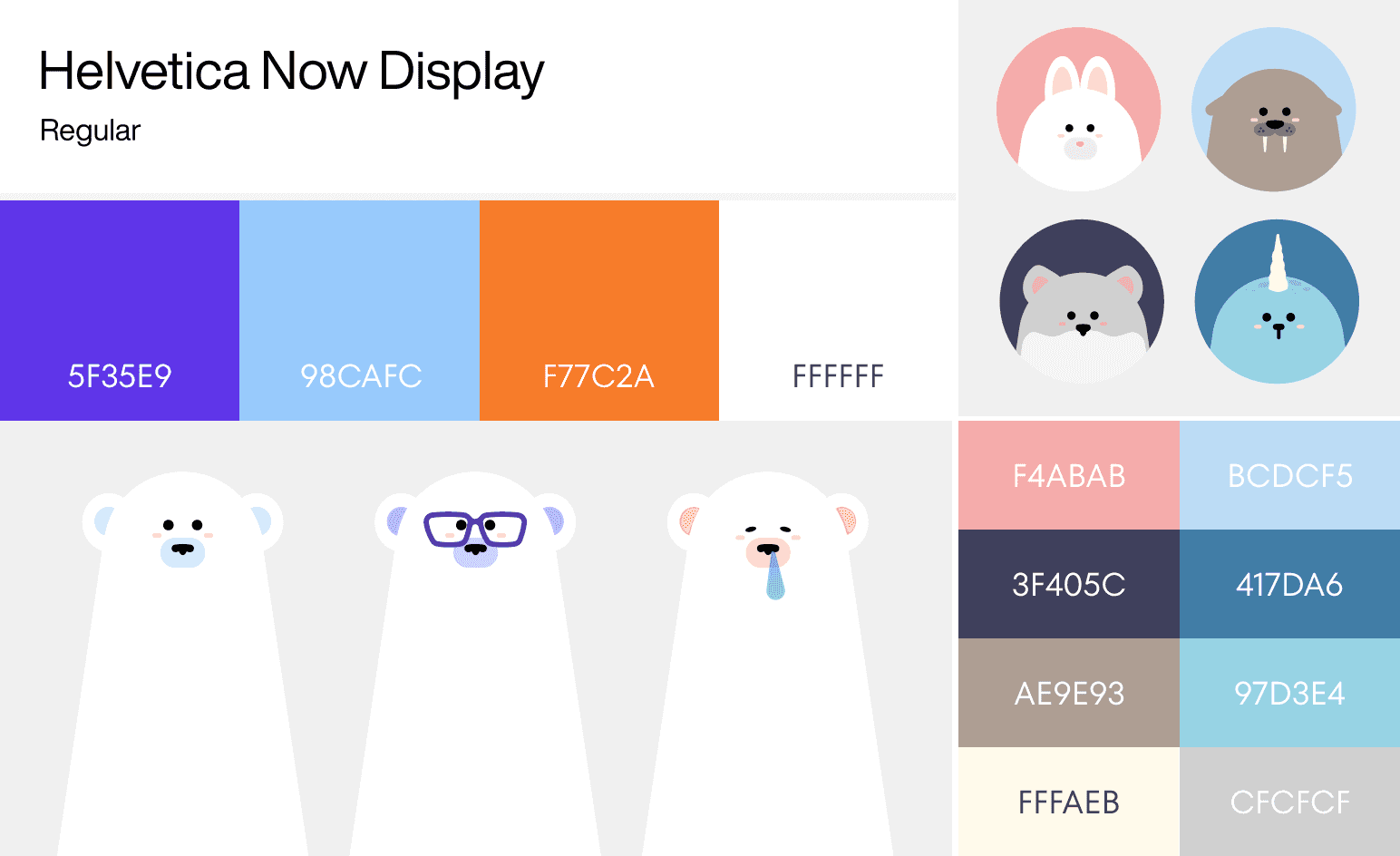
Primary and alternative colour palettes with mascot and friends, decided by Vivian Zhao
FINAL DELIVERY
Our features
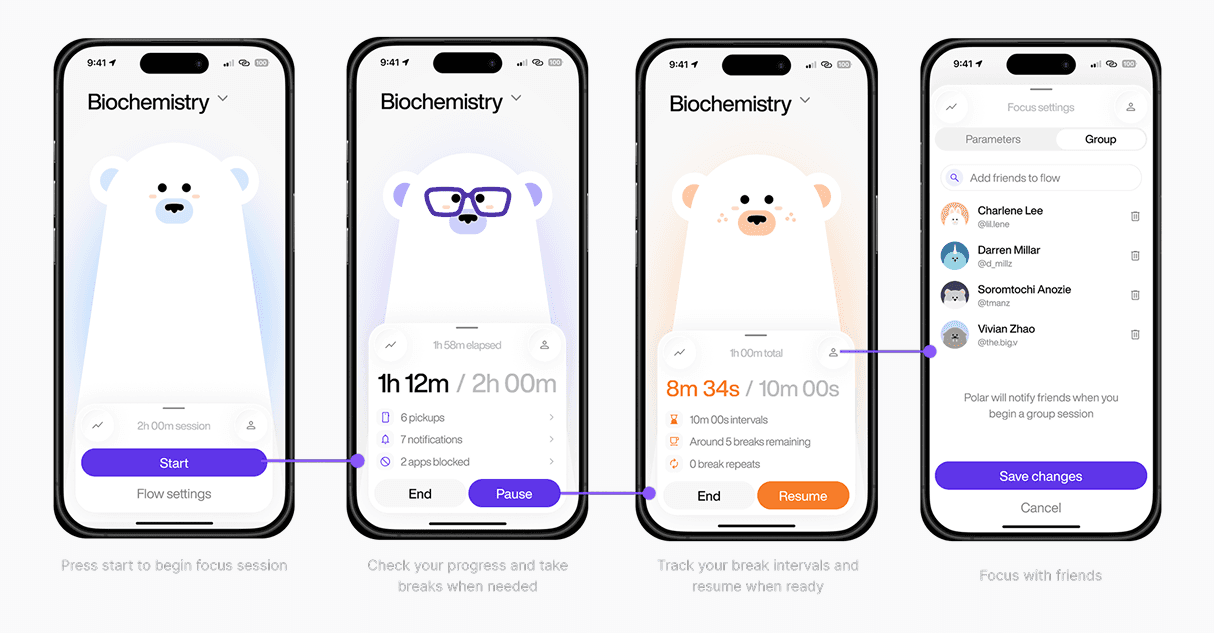
After performing more usability tests, we adjusted and finalized our features to better suit user behaviours and maximize retention while also prioritizing mental health.
Low-intensity and gentle feedback
Consistent and adaptive friction points to fight temptations
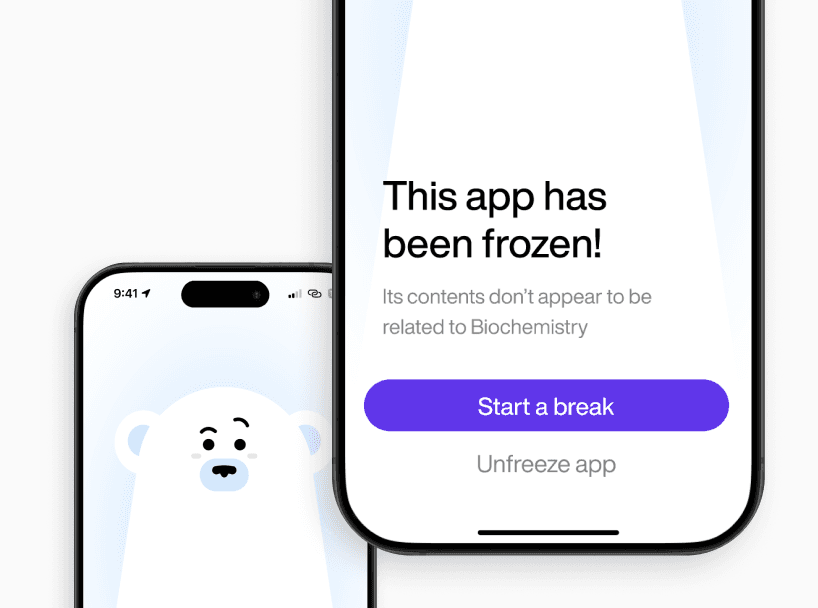
Content Blocker
During onboarding, users are able to set their own blocklist and allowlist. When clicking into apps they shouldn’t, our mascot Polar nudges users in the right direction.
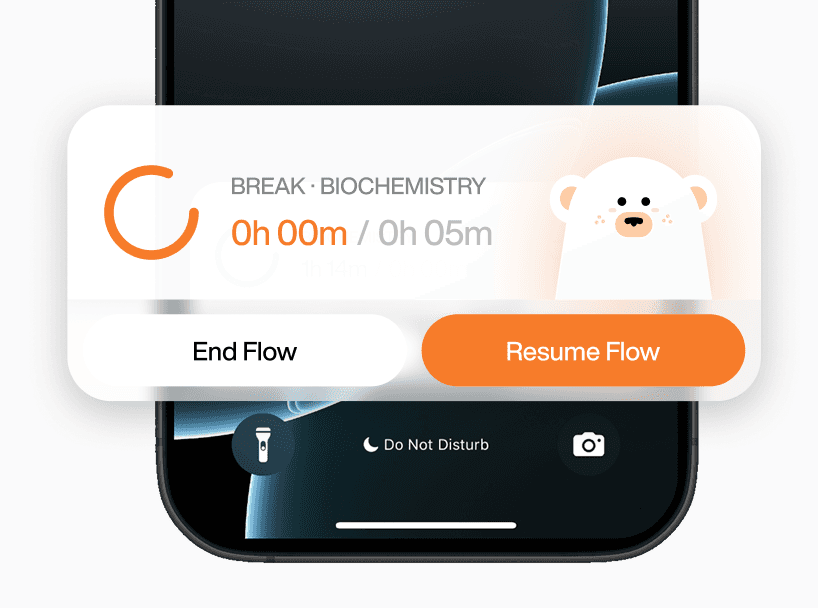
Live Activity & Notification System
With the live activity feature, users can be subtly alerted of their productivity timers. These serve as gentle reminders for users to stay on track.
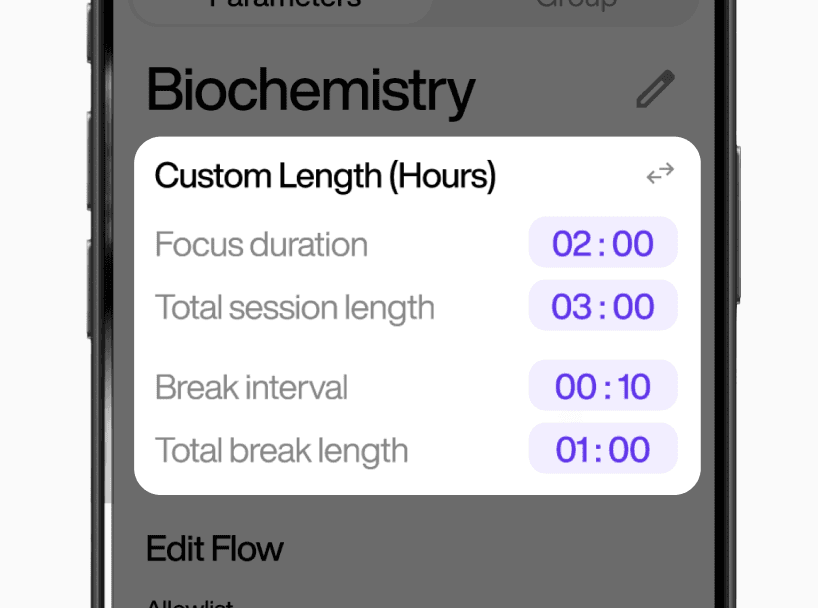
Customizable Timer
Gain better control over productivity by setting the boundaries of your focus durations and break intervals. This feature accommodates to the needs of each user and each task, encouraging users’ independence and building healthy habits.
TAKEAWAYS
Reflection & Key Takeaways
Things I'd do differently
Looking back, I relied too heavily on personal judgment instead of user feedback. This led to design choices that may not have fully reflected how real users think, behave, or interact with the product. Next time, I would prioritize earlier user testing and iterate continuously based on real user behaviour to effectively validate and refine design decisions.
Next Steps
Next, I would test the product over a longer period of time and expand it to a desktop app, to see how it performs in real use and if users actually adapt to it in daily study routines. This would evaluate if the system genuinely improves focus and productivity, and reveal how the experience evolves over time across multiple devices rather than in short-term mobile testing.
Life Lesson Learned
While the goal is to help students stay focused, it highlighted that sustainable habits form when tools adapt to natural rhythms, allowing focus to develop more organically instead of being forced. Designing with this in mind allowed me to approach life more empathetically as I can meet people where they are, not where I expect them to be.
SEE MORE WORKS

Visualizing and interpreting our dreams